![S2 Icon Navy TM (2).png]](https://kb.systemandsoul.com/hs-fs/hubfs/S2%20Icon%20Navy%20TM%20(2).png?height=50&name=S2%20Icon%20Navy%20TM%20(2).png)
We’ve refreshed the S2 Sync design to make it simpler, faster, and more intuitive. All the pages you know are still here, now with a cleaner layout, clearer navigation, and helpful new features. This guide will walk you through what’s changed and what you can start using right away.
🌟 What Changed
We redesigned S2 Sync to make navigation clearer, workflows faster, and insights easier to act on. Every core page you already use is still here, now with improved layouts, smarter organization, and new features that help teams stay aligned and move forward with less friction.
What this means for you:
-
Same core experience
-
Better usability
-
More visibility into progress
-
Faster everyday actions
🔄 Before → After: Key Page Updates
Road Map
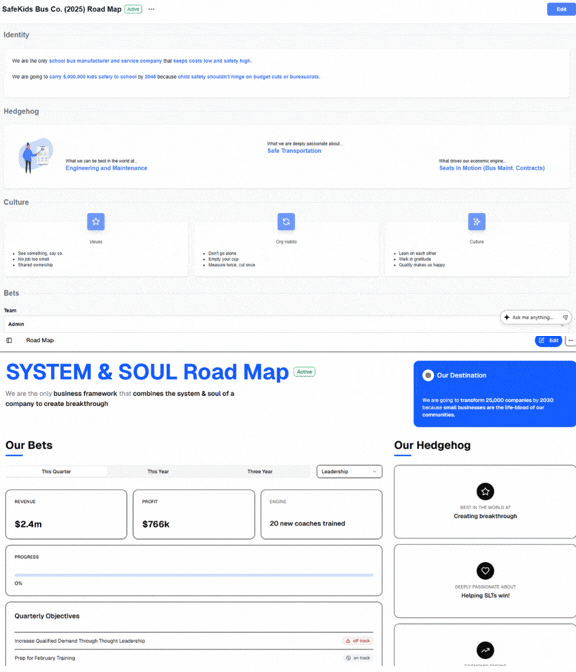
What’s better: The Road Map now provides a clearer, more unified view of your strategy. Priorities, progress, and focus areas are easier to understand so teams can stay aligned and move forward with confidence.
Org Chart
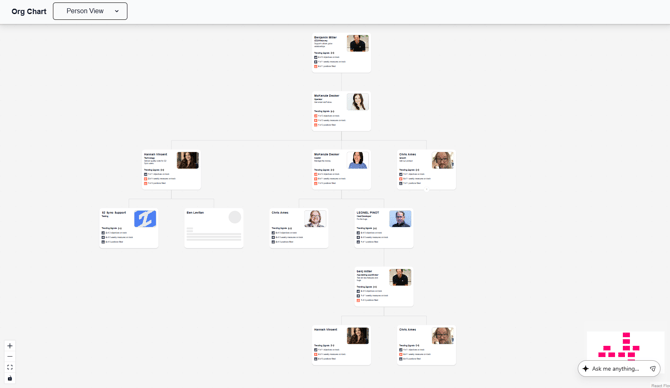
What’s better: No major changes were made to the Org Chart. It already reflects our latest design and continues to provide a clear, real-time view of roles, responsibilities, and team structure.
Meetings
.gif?width=670&height=391&name=Untitled%20design%20(1).gif)
What’s better: Streamlined flow, improved meeting player visibility, easier note-taking, and quicker action capture.
Scoreboard
.gif?width=576&height=336&name=Untitled%20design%20(2).gif)
What’s better: A cleaner metrics view with easier progress tracking, enhanced visuals to better see growth and changes over time, and a new toggle view that lets you switch to a visual graph layout.
Objectives
.gif?width=576&height=336&name=Untitled%20design%20(3).gif)
What’s better: Improved structure for goals, milestones, and alignment, plus the ability to easily toggle between your team and the entire company to see overall progress. Clearer visual indicators now show how many objectives are on track, off track, or complete.
Actions
.gif?width=576&height=336&name=Untitled%20design%20(4).gif)
What’s better: Faster assignment and clearer ownership, now with a new Related To column that visually shows how each action connects to an opportunity or an objective.
Opportunities
.gif?width=576&height=336&name=Untitled%20design%20(5).gif)
What’s better: Opportunities retains the same powerful tracking and prioritization tools, now enhanced with sorting assistance to help users better prioritize their list.
Healthy F.I.T
.gif?width=576&height=336&name=Untitled%20design%20(6).gif)
What’s better: Healthy F.I.T. is now more streamlined and easier to navigate. You can quickly schedule meetings with your direct reports and request access to additional team members without extra steps. Overall, holding a Healthy F.I.T. conversation feels smoother and more intuitive.
🚀 Top Things to Learn First
▶️ Quick Walkthrough Video
Watch a short overview of the new experience and learn where everything lives now.