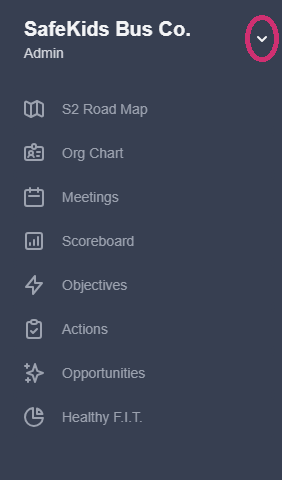
- On the right navigation, click the dropdown arrow.
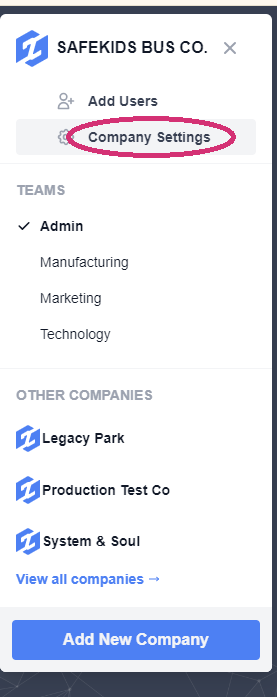
2. Click on "Company Settings."
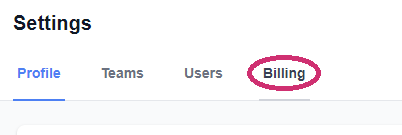
3. Click on "Billing."
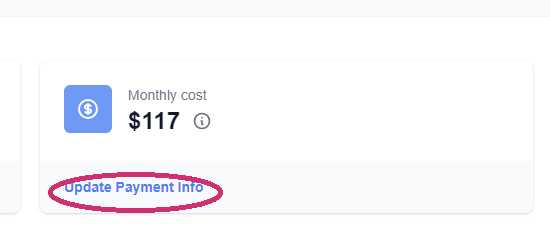
4. Go to the middle box and click on "Update Payment Info."
5. Click the "Add" to input your new credit card details.

6. SAVE when done.
![S2 Icon Navy TM (2).png]](https://kb.systemandsoul.com/hs-fs/hubfs/S2%20Icon%20Navy%20TM%20(2).png?height=50&name=S2%20Icon%20Navy%20TM%20(2).png)
2. Click on "Company Settings."
3. Click on "Billing."
4. Go to the middle box and click on "Update Payment Info."
5. Click the "Add" to input your new credit card details.
6. SAVE when done.