![S2 Icon Navy TM (2).png]](https://kb.systemandsoul.com/hs-fs/hubfs/S2%20Icon%20Navy%20TM%20(2).png?height=50&name=S2%20Icon%20Navy%20TM%20(2).png)
How to create an Objective
1. Log in to your s2sync account.
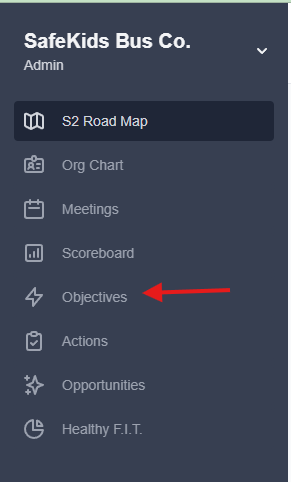
2. Click on Objectives.
3. In the top right corner, click on “+add” to create an objective.
4. Fill in the title and description. You can also click "Fill out additional details" to add key results, 30-day milestones, 60-day milestones, etc.
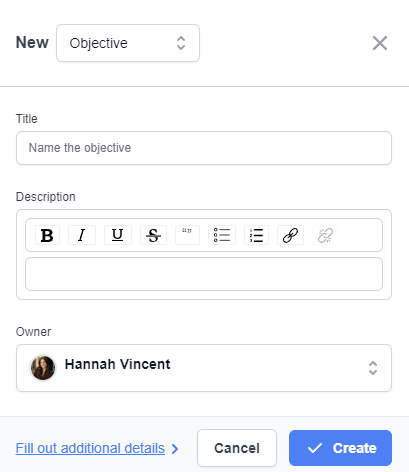
30- Day Milestones - What will be demonstrated at the 30-day mark?
60-Day Milestones - What will be demonstrated at the 60-day mark?
Example of a filled in objective:
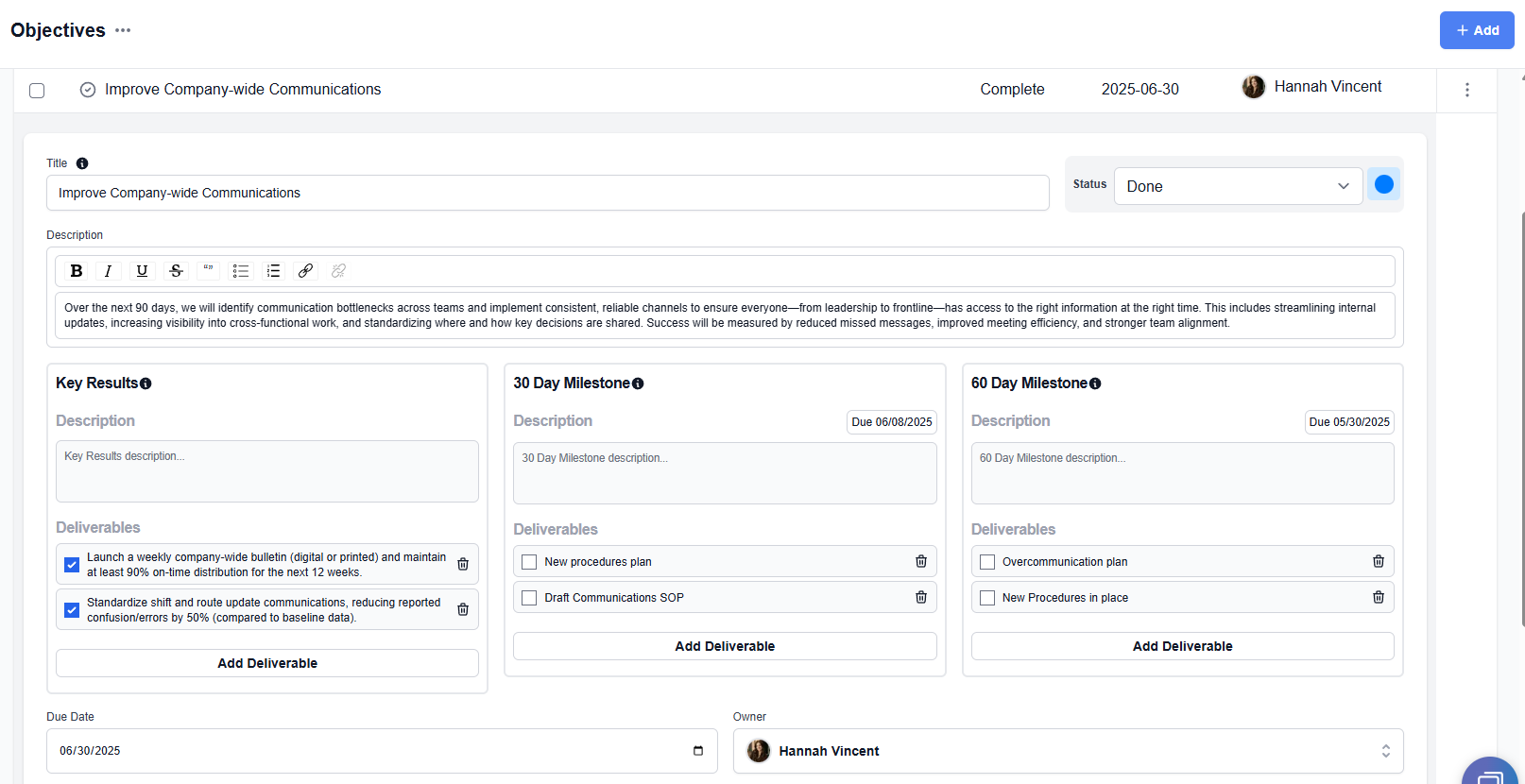
5. Select Status, put the Due Date, and choose the Owner’s name.
6. Click Save button on the bottom right corner of the page.
Need to edit? To edit an existing objective, navigate back to the main objectives page, find the objective you'd like to edit, and click on the 3 dots to the far right and choose "Edit." 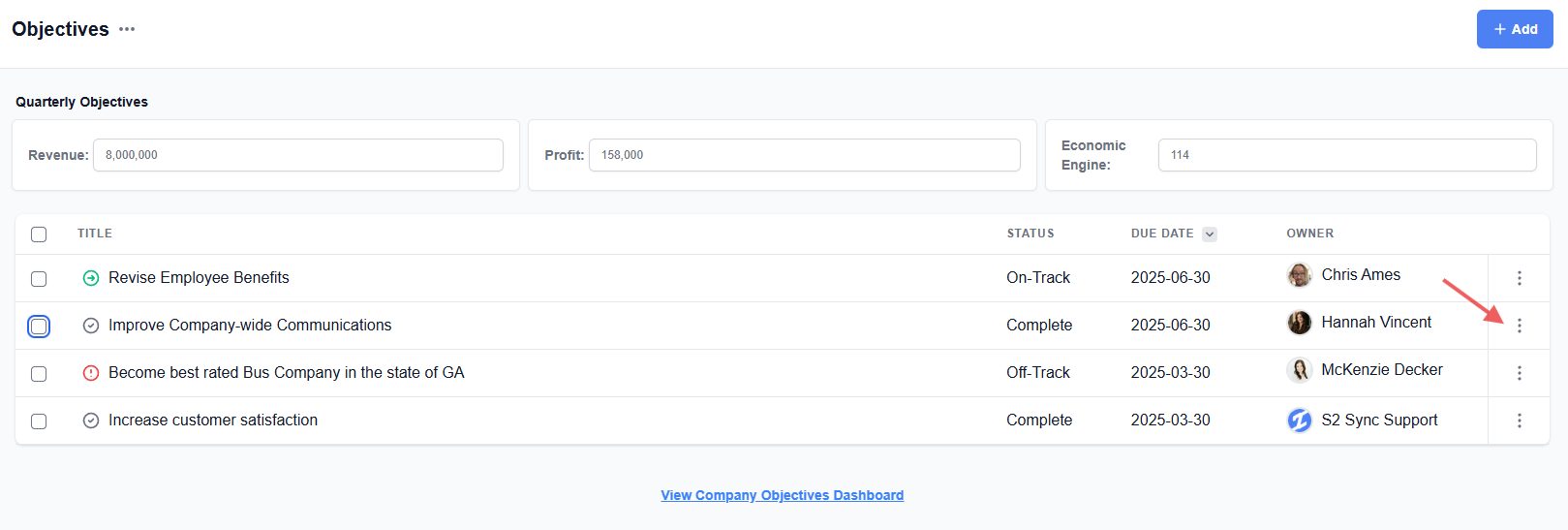
Need to archive an old objective? Navigate tothe objectives page, find the objective you'd like to archive, click on the check box to the left of the title, and click on "archive" on the bottom of the page. 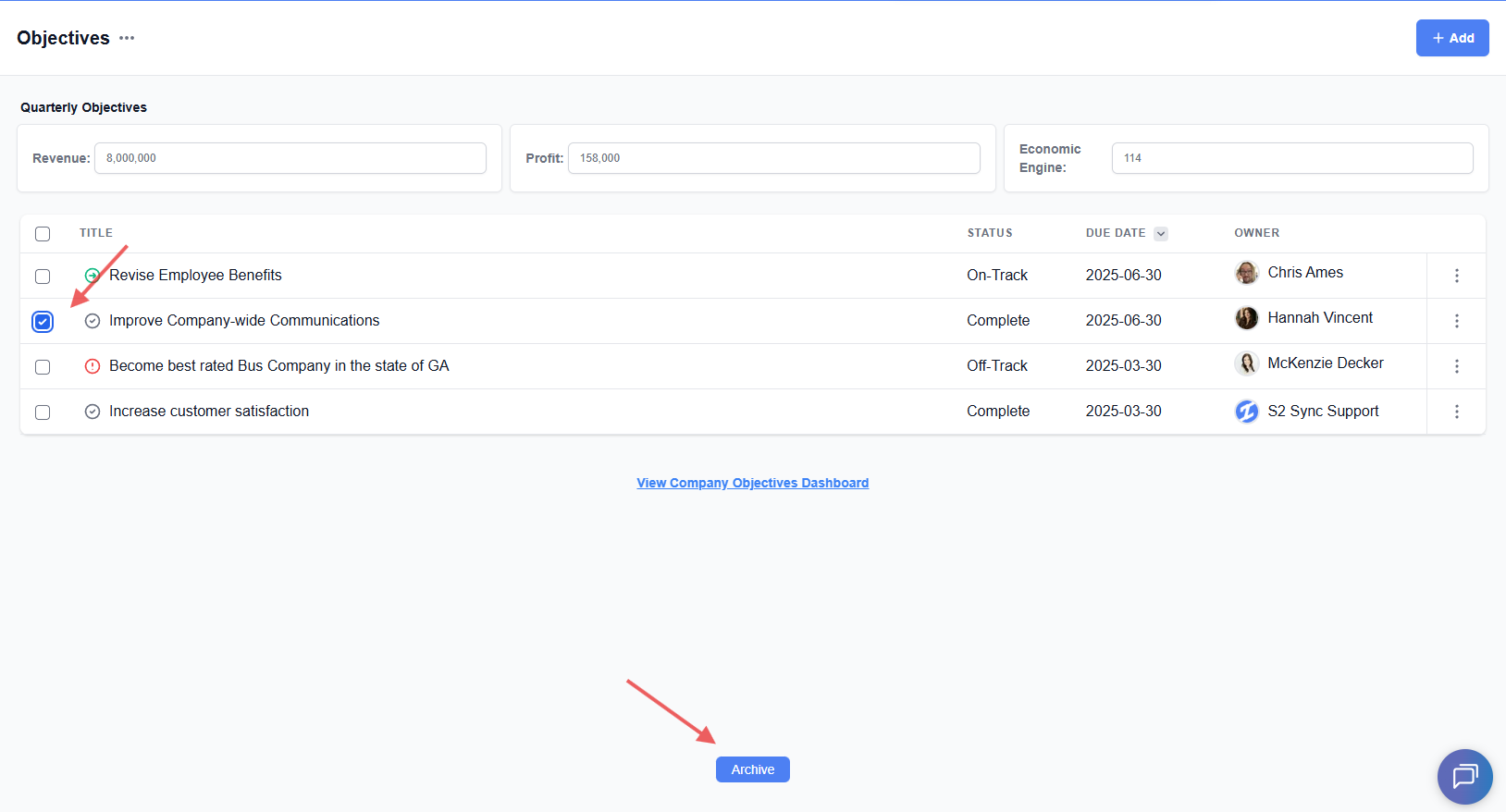
VIDEO: Here's a quick video to help you create clear, actionable objectives.
Still have questions? Email help@systemandsoul.com and we'll get you the answers you're looking for!