![S2 Icon Navy TM (2).png]](https://kb.systemandsoul.com/hs-fs/hubfs/S2%20Icon%20Navy%20TM%20(2).png?height=50&name=S2%20Icon%20Navy%20TM%20(2).png)
You can export scoreboard data from S2 Sync at any time. Follow the steps below to download or receive your data via email.
How to Export Scoreboard Data
-
Navigate to the Scoreboard in S2 Sync.
-
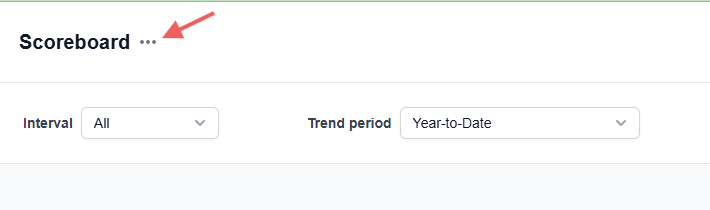
In the top-left corner of the page, next to Scoreboard, click the three-dot menu.
-
Select Export.
-
Choose your export preferences:
-
By section: Daily, Weekly, Monthly, Quarterly, or Annually
-
By time range: All-time or Custom
-
Format: CSV (all exports are CSV files)
-
Delivery method: Download immediately or have the export emailed to you
-
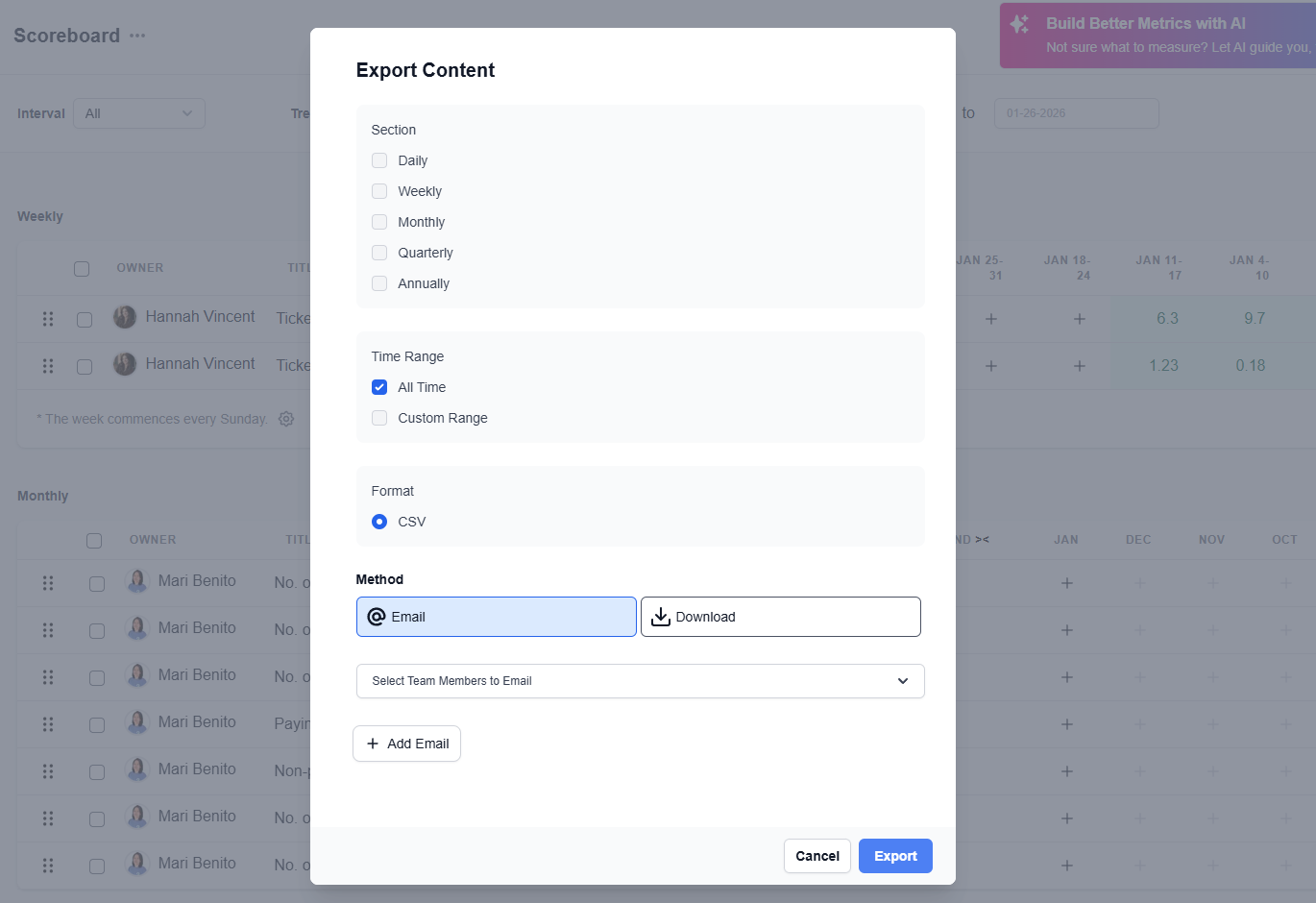
Once selected, complete the export to receive your data.