![S2 Icon Navy TM (2).png]](https://kb.systemandsoul.com/hs-fs/hubfs/S2%20Icon%20Navy%20TM%20(2).png?height=50&name=S2%20Icon%20Navy%20TM%20(2).png)
When a user is not a member of a team within S2 Sync, they will not have access to see data within the app. To add a member to a team, follow these steps:
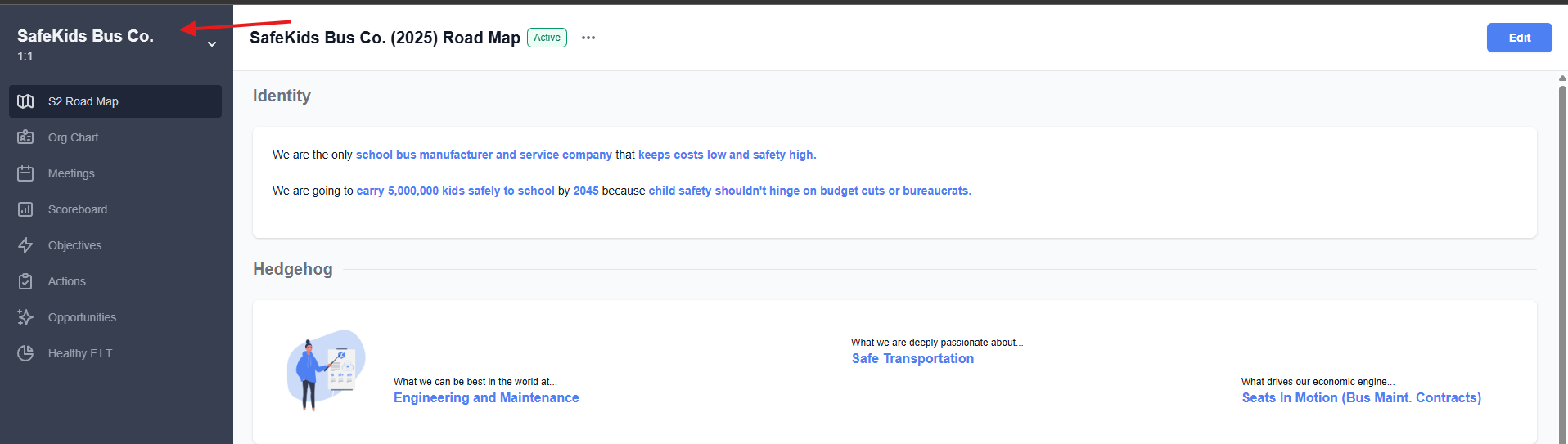
1. Click on your company name in the top left corner of your screen.
2. Click on "Company Settings"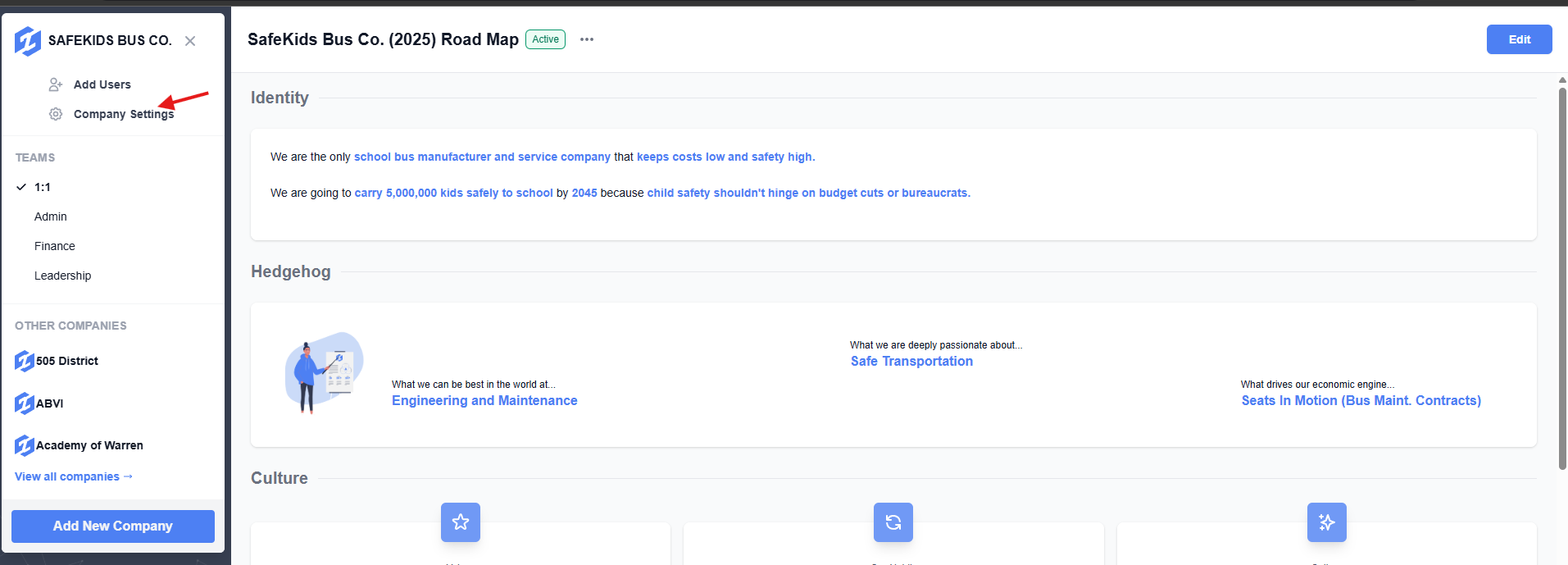
3. Click on the "Teams" tab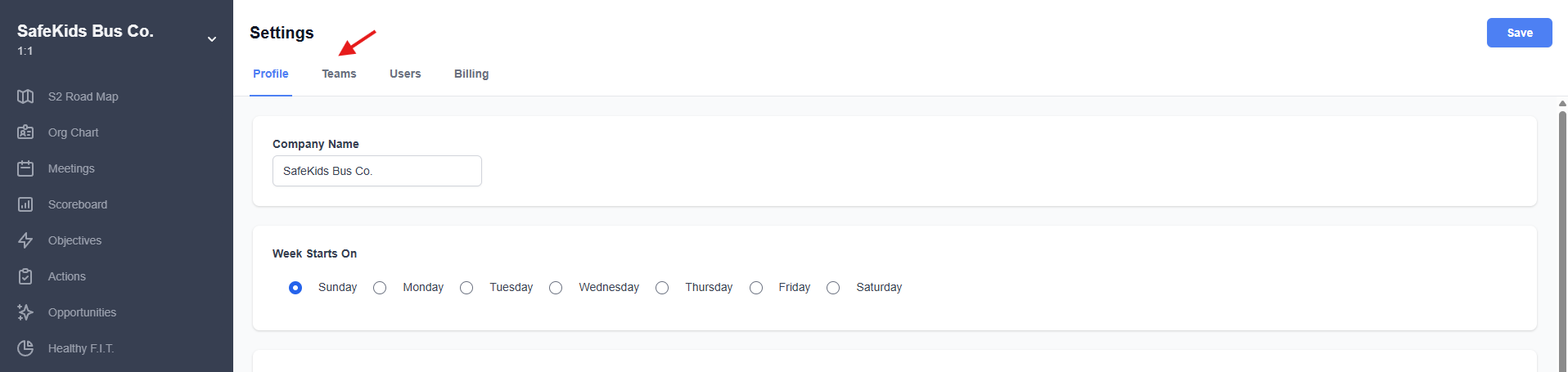
4. Choose from any of the preexisting teams in your account, then click on the 3 dot menu to the right and "edit."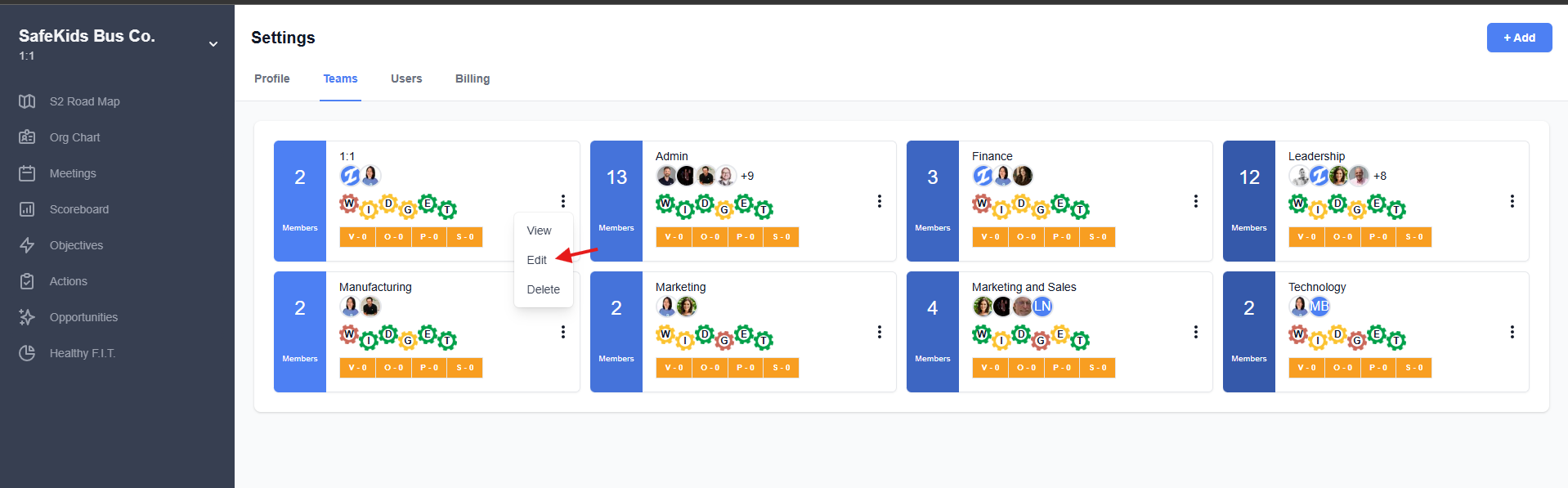
Tip: A user can be added as a member of any team in the app, regardless of how many there are in the account. There are also no limits to how many teams you can create in S2 Sync.