![S2 Icon Navy TM (2).png]](https://kb.systemandsoul.com/hs-fs/hubfs/S2%20Icon%20Navy%20TM%20(2).png?height=50&name=S2%20Icon%20Navy%20TM%20(2).png)
Q: What has changed with the S2 Diagnostic?
We’ve refreshed the assessment questions, improved the design for a smoother user experience, and added a major new feature for coaches: automatic access to group results.
Q: What does “automatic group results” mean?
Previously, coaches had to request a team report from the S2 team. Now, once participants complete the assessment, coaches can instantly switch between individual and team results directly from the results page.
Q: Do I still need to contact the S2 team for reports?
No. Team reports are now available automatically. You’ll see both your personal results and group results right in the app.
Q: Do I have to pay for the group assessment?
No, it’s completely free.
Q: How do I get the group assessment results?
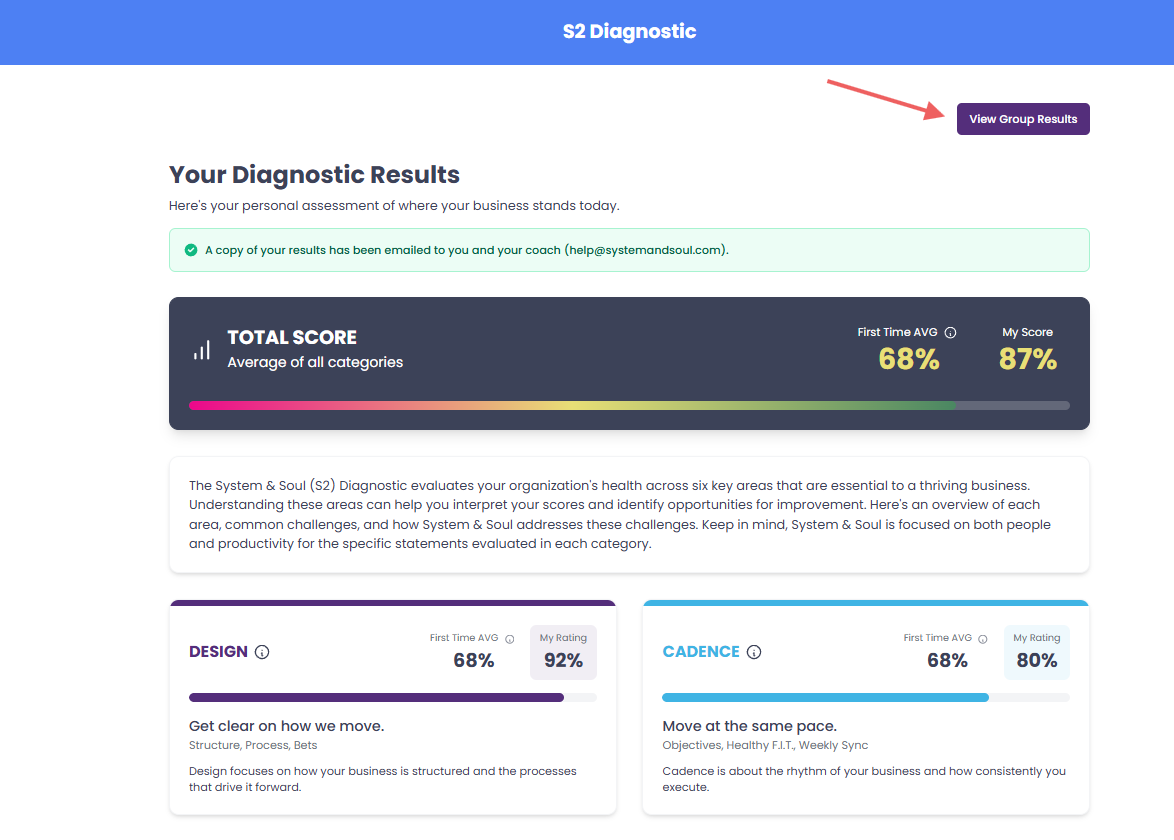
If you choose to do a group assessment, you can easily toggle between individual results and group results right from the results page.
Q: How can I tell who has taken the assessment?
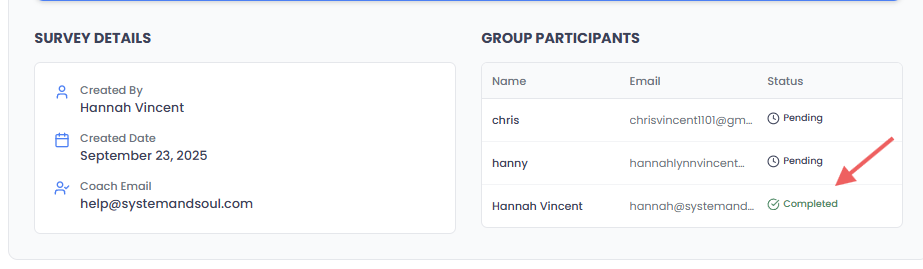
On the Group Results page, scroll to the bottom to see who has completed the assessment and who is still pending.
Q: I’ve already sent out invites for the group assessment—can I still add more emails?
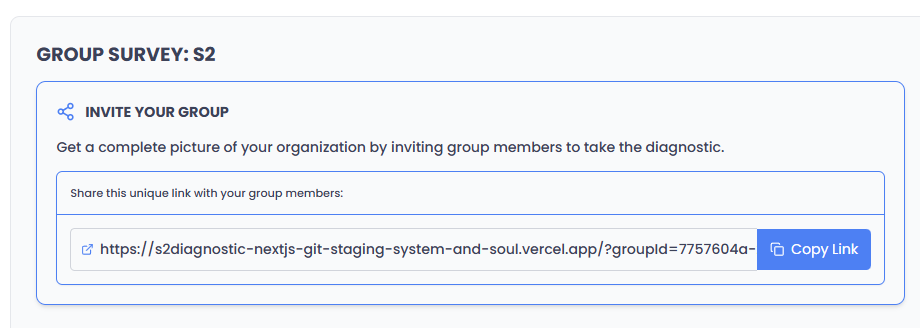
Yes! You can always add additional people. After you complete your own individual assessment, scroll down to the bottom of the Group Results page and copy the unique link to share with others.
Q: Do you have a list of all the questions on the assessment?
Yes! You can view the full question set here: Assessment Questions
Q: Why were the questions updated?
The refreshed questions more accurately reflect the six elements of health and performance in the System & Soul framework, helping coaches and teams get deeper insights.
Q: Where can I try the updated S2 Diagnostic?
You can check it out anytime here: s2diagnostic.com
Helpful Videos: