![S2 Icon Navy TM (2).png]](https://kb.systemandsoul.com/hs-fs/hubfs/S2%20Icon%20Navy%20TM%20(2).png?height=50&name=S2%20Icon%20Navy%20TM%20(2).png)
How to Remove User:
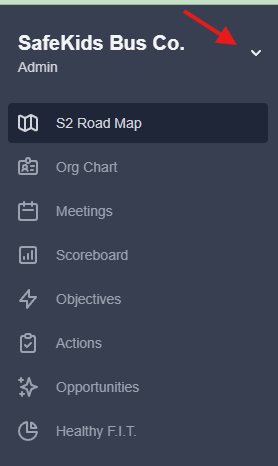
- Click the dropdown arrow next to your Company Name.
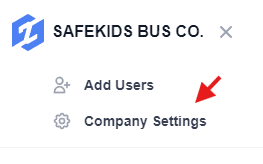
- Click on Company Setting
- Click "Users" and find the user you'd like to remove from your account.
- Next to the user's name, click on the 3 dots to the far right.

- Select Remove.
Tip: A removed user can be added back to your account at any time. You will just need to send them a new invitation which can also be done on the "Users" page of your account.
Still have questions? Email help@systemandsoul.com and we'll get you the answers you're looking for!