![S2 Icon Navy TM (2).png]](https://kb.systemandsoul.com/hs-fs/hubfs/S2%20Icon%20Navy%20TM%20(2).png?height=50&name=S2%20Icon%20Navy%20TM%20(2).png)
How to manage billing:
1. Click on the Dropdown arrow on the upper left side of the page, next to your company's name.
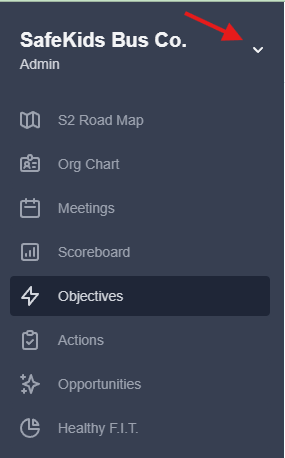
2. Go to Company Settings.
3. Click on Billing.
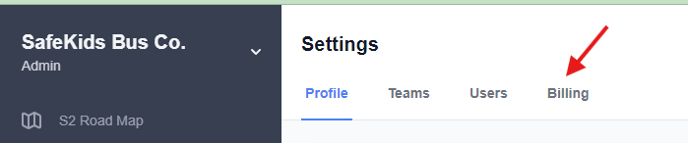
4. From here, you can see your next billing date, your monthly cost, and the # of paid users in your account.
Note: Depending on how many members you wish to add, the total amount will auto-adjust.
6. To update your payment info, simply click on "Update Payment Info" where you can enter a new credit card and choose to set a card as default. The card set as default will be the one charged moving forward.
Still have questions? Email help@systemandsoul.com and we'll get you the answers you're looking for!