![S2 Icon Navy TM (2).png]](https://kb.systemandsoul.com/hs-fs/hubfs/S2%20Icon%20Navy%20TM%20(2).png?height=50&name=S2%20Icon%20Navy%20TM%20(2).png)
Your Unique Genius can be seen in the org chart and in your personal road map. Your Unique Genius is based on one of the following assessments: Working Genius OR VOPS/Predictable Success. If you have not taken either of these assessments, you may leave it blank.
To edit your Unique Genius:
- On the top left corner of the app, click on your company name and choose "Company Settings."
- Go to users.
- On the user screen, scroll down to find your name and click on the 3 dots to the right of your name
- Click on "edit skills" and from here you can choose to enter your data for either Working Genius or VOPS - Predictable Success.
Note:
- Once you have entered this data into the app, it will remain there unless you go back and edit it.
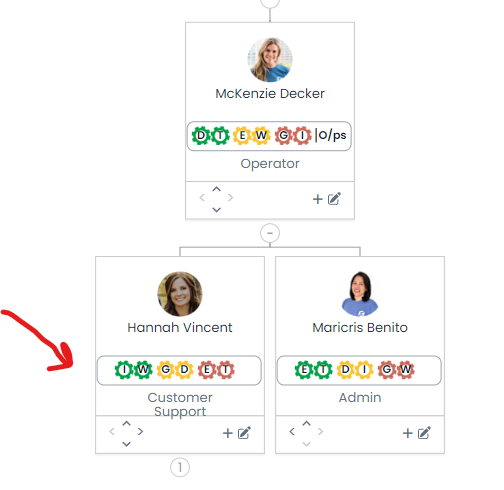
Your Unique Genius as seen in the org chart.
 Your Unique Genius as seen in your Personal Road Map.
Still have questions? Email help@systemandsoul.com and we'll get you the answers you're looking for!